How to Use a 1XBET Account Promo Code
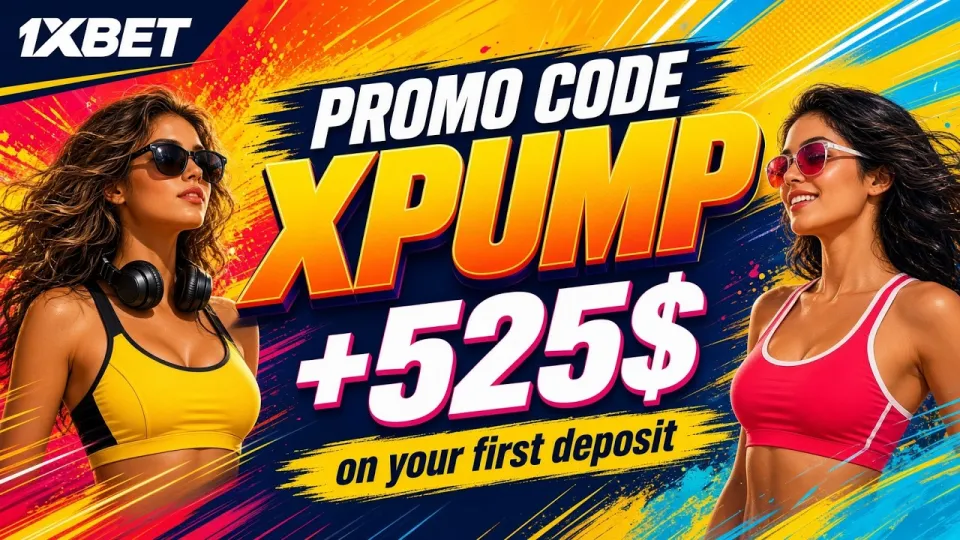
· based on the channel Lucky Crown
A 1XBET account promo code is entered in a single dedicated field that appears during registration and again in the account's deposit area, and the code is confirmed only after you press the apply or confirm button and see the bonus reflected. The code XPUMP, shown in the Lucky Crown walkthrough, is advertised as +525$ on the first deposit when it is typed correctly and paired with a qualifying first payment. The bonus page behind the code is available at the 1XBET promo code XPUMP offer.
Most failed redemptions are not about the code being invalid; they are about the field being skipped, the case being wrong, or the deposit going through before the code was saved. The steps below cover where the field lives, how to type the code so it is accepted, and what to check when nothing happens.
Where the promo code field sits in a 1XBET account
The promo code field is part of the account creation form and of the deposit screen, so you do not need a separate page to use it. During registration the box is usually labelled as a promo code or bonus code and sits alongside the currency and country selectors, before you confirm the sign-up. If you register without it, the same field reappears in the deposit section of your account, where the amount, the payment method and the code are submitted together.
The important structural point is that the code is bound to the first deposit, not to the account itself. Creating a profile with XPUMP typed in does not lock in the +525$ figure until a qualifying deposit is made; conversely, a deposit made before the code is saved is treated as a normal deposit and the code can no longer be attached to it. Treat the code and the first payment as one action, not two.
How to enter the XPUMP code step by step
Typing XPUMP correctly means matching the exact characters, then confirming the field before any money moves. The sequence is short, but every step matters because the form does not always warn you when a code was silently dropped.
- Log in to your 1XBET account, or open the registration form if you have not created one yet.
- Open the deposit area and find the promo code or bonus code input box.
- Type XPUMP in capital letters, with no spaces before or after it and no hyphens.
- Press the apply or confirm button next to the field and wait for the code to be accepted on screen.
- Enter the deposit amount, choose the payment method and complete the payment.
- Check the bonus balance or the bonus section of your account to confirm the credit appeared.
If you paste the code from a message or a web page, clear any trailing space that comes with it. A pasted string that looks identical on screen can carry an invisible character that the form rejects without explanation.
Why a correct code can still be refused
A code that is typed perfectly can still fail because of account-level conditions, and these are the usual culprits. The most common is that the first deposit has already been made, which closes the window for any welcome code. The second is that a promo code was already used on the account, since the welcome offer applies once per profile, not once per deposit.
Other refusals come from mismatches between the code and the account settings: a currency that the offer does not support, a country where the bonus is not available, or a payment method excluded from the promotion. Verification status matters too, because an unverified account can have bonus credit held until identity checks are complete. When the form gives no error but the bonus does not appear, check these four things in order: first deposit status, previous code use, currency and country, and verification.
Letter case, spacing and other entry mistakes
Codes on 1XBET are not case-insensitive in practice, so XPUMP should be entered in capitals exactly as published. Lowercase letters, a stray space, an added hyphen or the letter O typed instead of a zero are all enough to produce a code that the system reads as unknown rather than wrong.
- Enter the code in the promo field, never in the name, surname or comment fields.
- Do not add quotation marks around the code.
- Do not type the code twice in the same field.
- Avoid copying from formatted text such as social posts, where hidden characters are common.
- Confirm the field before pressing deposit, not after.
The same discipline applies to the bonus link: open it directly rather than retyping the address, so the offer parameters travel with you to the site.
Typical questions from viewers of the breakdown
The questions that come up most often are about timing and about whether the code can be reused. Viewers want to know if XPUMP can be added after the account already exists, whether it works on a second deposit, and how to tell if the +525$ figure was actually applied. The short answers: yes, an existing account can still use the field as long as no deposit has been made; no, the welcome code does not repeat on later deposits; and the only reliable confirmation is the bonus balance or bonus history inside the account, not a message on the deposit screen.
A second cluster of questions concerns the size of the bonus and the conditions attached to it. The advertised +525$ is tied to the first deposit amount rather than paid out as cash, and the promotional terms set wagering requirements that must be met before any bonus-derived winnings can be withdrawn. Reading those terms before depositing avoids the most common disappointment.
Checking that the bonus actually landed
Confirmation happens inside the account, in the bonus or promotional section, where active offers and their progress are listed. After a qualifying deposit with XPUMP saved, the bonus should appear there with its amount and the wagering conditions attached. If the section is empty, the code was not attached at the time of payment, and the fix is to contact support with the deposit details rather than to deposit again.
Keep a record of the transaction identifier and the time of the deposit; support requests about missing promo credit are resolved far faster with those two facts. Do not create a second account to retry the code, because duplicate profiles are against the platform's rules and put the balance at risk.
Conclusion
A 1XBET account promo code works only when the field is filled, confirmed and paired with the first deposit in the right order. Type XPUMP in capitals, apply it before paying, and verify the result in the bonus section rather than on the deposit confirmation screen. The +525$ figure is a first-deposit offer with conditions attached, so read the terms before committing money. The step-by-step breakdown comes from the Lucky Crown channel, which walks through the exact field and confirmation sequence on screen. To pick up the offer, use the XPUMP promo code registration page and enter the code exactly as shown.
Key takeaways
- The promo code field in a 1XBET account is a single input box tied to the registration and first-deposit flow, not a separate menu.
- The code XPUMP is worth +525$ on the first deposit according to the Lucky Crown breakdown.
- Codes are read exactly as typed: XPUMP in capitals, no spaces, no hyphens, no pasted formatting.
- A code can only be applied once per account and only before the first deposit is confirmed.
- The bonus link from the video is https://surl.li/1bn.
Source: 1XBET ACCOUNT: How to Enter a Promo Code XPUMP Correctly · Markdown version
Questions & answers
Can I add the XPUMP promo code after I already created a 1XBET account?
Yes, as long as no deposit has been made yet. The promo code field also appears in the deposit area of an existing account, so you can enter XPUMP there and confirm it before completing your first payment. Once a deposit has gone through without a code, the welcome offer can no longer be attached to that account.
Does the promo code work on every deposit or only the first one?
It applies to the first deposit only. The +525$ figure advertised with XPUMP is a welcome offer tied to the initial payment, and later deposits are treated as ordinary deposits without the code. A code also cannot be reused across multiple accounts, since the offer is limited to one per person.
Why was my code accepted but no bonus appeared?
The usual causes are a currency or country not covered by the offer, an excluded payment method, or an account that has not completed verification. Check the bonus section of your account first, then contact support with the deposit identifier and the time of payment so the case can be traced.
Does it matter if I type the code in lowercase?
Yes. Enter XPUMP in capital letters exactly as published, with no spaces, hyphens or quotation marks, and confirm the field before depositing. Lowercase letters or a pasted string carrying an invisible character can be read as an unknown code even though it looks correct on screen.